How We Improved User Experience by Handling Email Failures Gracefully in a Legacy PHP Application
Improving user experience in legacy applications often involves careful handling of failures. Discover how we addressed email delivery issues without disrupting order workflows.



13 views
Introduction
Working on a legacy production application often means balancing new improvements with system stability. Even a small code change can unintentionally affect critical business processes like order placement.
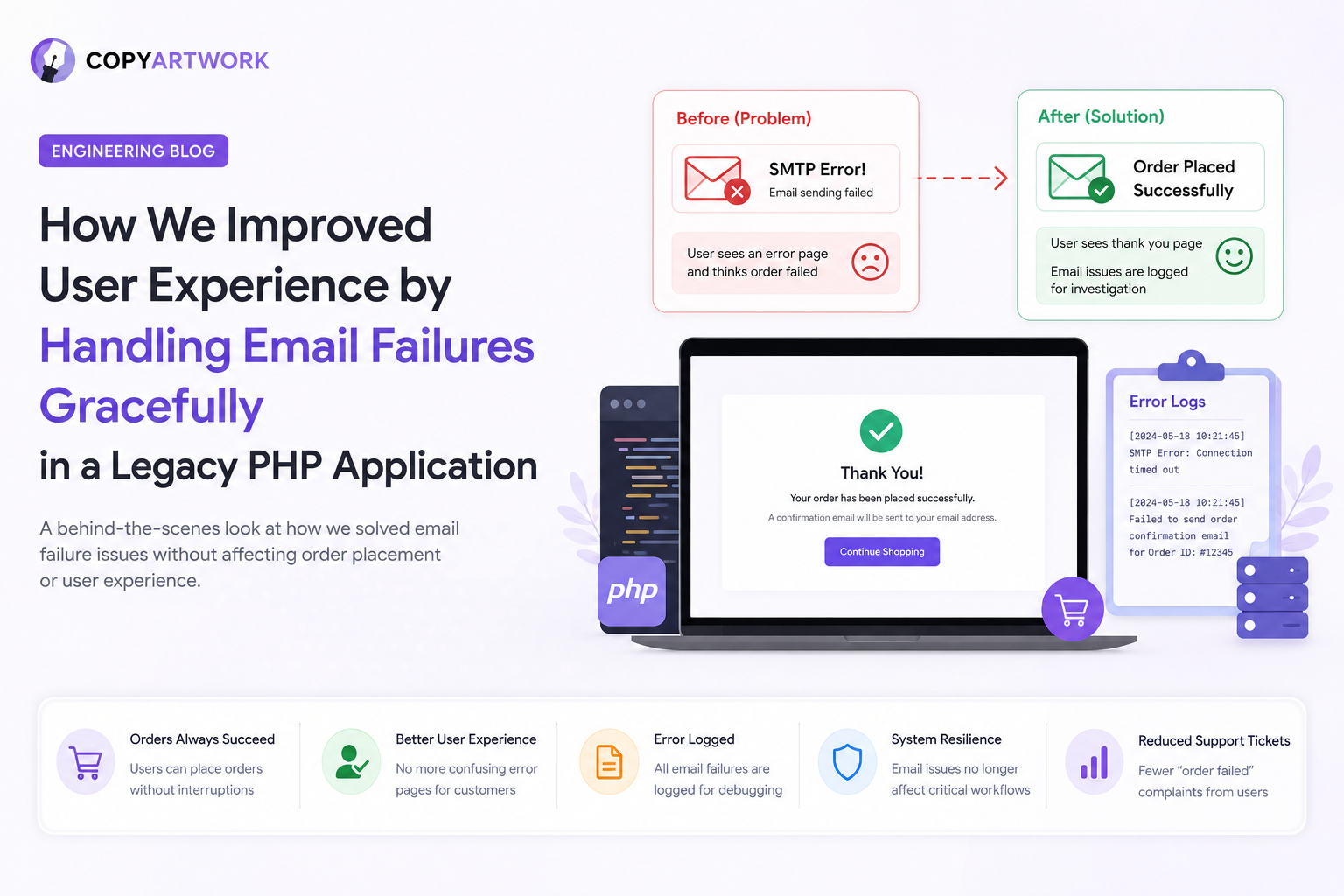
Recently, while working on CopyArtwork, we identified a user experience issue that occurred whenever transactional emails failed due to SMTP-related problems. Although customer orders were being created successfully, users were seeing an error page instead of an order confirmation. This created unnecessary confusion and reduced trust in the application.
In this article, I'll share how we investigated the issue, the challenges involved, and how we solved it without impacting the live ordering workflow.
The Problem
The application sends confirmation emails immediately after a customer places an order.
However, if the SMTP server was unavailable or email delivery failed for any reason, the email exception propagated back to the application.
As a result:
Users were redirected to an error page.
Customers assumed their order had failed.
Many users attempted to place duplicate orders.
No confirmation email was received.
Support teams had to verify whether the order actually existed.
The surprising part was that the order itself had already been saved successfully in the database. The only failing component was email delivery.
Understanding the Root Cause
During our investigation, we found that the order creation process and email sending were tightly coupled.
The application treated email delivery as part of the overall request. If sending the confirmation email threw an exception, the entire request appeared to fail from the user's perspective.
Technically, the business operation had completed successfully, but the user interface communicated the opposite.
This highlighted an important design principle:
A non-critical service like email should not determine whether a successful business transaction appears successful to the user.
The Challenge
Since CopyArtwork is a mature production application with active users, making even a small change required extra caution.
Some of the challenges included:
Working within a legacy codebase.
Ensuring no impact on the existing order placement flow.
Avoiding duplicate orders.
Preserving existing email functionality.
Thoroughly testing multiple scenarios before deployment.
Because the application was already serving live customers, stability was our highest priority.
Our Solution
Instead of allowing email failures to interrupt the customer's journey, we separated email delivery errors from the primary order workflow.
The solution included:
Wrapping the email sending process in proper exception handling.
Logging SMTP and email delivery failures for developers.
Preventing email exceptions from breaking the user flow.
Displaying the normal order confirmation page after a successful order.
Allowing support teams to investigate failures later using application logs.
With this approach:
Orders continue to be placed successfully.
Customers receive a confirmation screen.
Email issues are captured internally instead of being exposed to users.
Testing Before Deployment
Because the fix affected a live production system, careful testing was essential.
We tested scenarios such as:
Successful order with successful email delivery.
Successful order with forced SMTP failure.
Invalid SMTP configuration.
Different order types.
Existing production order workflow.
The objective was simple:
No matter what happens with email delivery, a successfully created order should never appear as a failed order to the customer.
Results
After deploying the improvement:
Users no longer encounter unexpected error pages when email delivery fails.
Successful orders always complete with a proper confirmation page.
SMTP failures are recorded in logs for investigation.
Customer confusion is significantly reduced.
The order placement experience is much more reliable.
Most importantly, users are no longer affected by temporary email infrastructure issues.
Key Learnings
This issue reinforced several engineering lessons:
Separate critical business operations from secondary services.
Never expose internal infrastructure failures directly to end users.
Comprehensive logging is invaluable for production debugging.
Legacy systems require careful testing before even small deployments.
Improving user experience doesn't always require large architectural changes.
Sometimes, a well-planned improvement to error handling can have a much greater impact than adding new features.
Conclusion
Building reliable software isn't only about adding functionality—it's also about ensuring users have a smooth experience when unexpected failures occur.
By handling email exceptions gracefully, we improved the resilience of the application while maintaining the integrity of the order workflow. The solution reduced customer confusion, improved trust in the platform, and provided developers with better visibility into operational issues through structured logging.
Small improvements like these often make the biggest difference in production applications.
Comments
No comments yet. Be the first to share a thought.