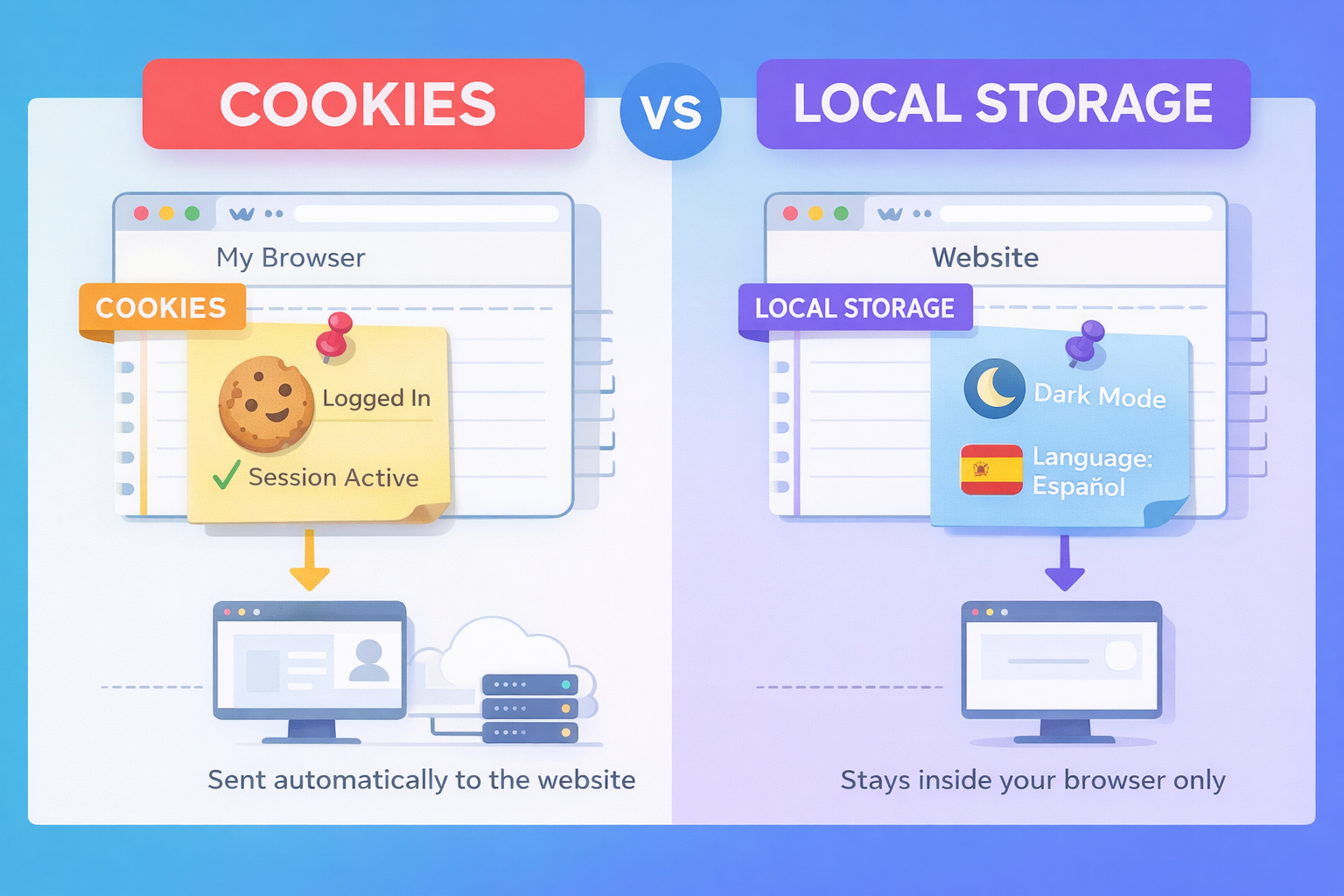
Websites remember things about you all the time:
- you stay logged in
- dark mode stays on
- items remain in your cart
This happens because your browser saves small pieces of information.
Two common ways it does this are Cookies and Local Storage.
They are often confused — so let’s explain them properly.
Think of a Website Visit Like Visiting a Shop
When you visit a shop, two kinds of information exist:
- Who you are
- How you like things
Cookies and Local Storage handle these two different jobs.
Cookies (Who You Are)
Cookies help a website recognize you.
Example:
- You enter a café
- The staff knows you’re a regular
- You don’t need to explain yourself again
That’s what cookies do.
Cookies are used to:
- Keep you logged in
- Remember that it’s still you as you move between pages
- Maintain your session
Without cookies, websites would forget you every time you click a link.
Local Storage (How You Like Things)
Local Storage remembers your preferences, not your identity.
Local Storage is used to:
- Remember dark or light mode
- Save language preference
- Store app settings
It makes the website feel comfortable — not secure.
Simple Rule
- Cookies = Who you are
- Local Storage = How you like things
Technical Explanation
Now let’s look at what’s actually happening under the hood.
Cookies (Server Communication)
Cookies are part of the HTTP protocol.
Key technical traits:
- Automatically sent with every request to the server
- Read and validated by backend systems
- Often store session IDs or auth tokens
- Can be secured using:
Why cookies exist:
HTTP is stateless. Cookies allow the server to recognize multiple requests as coming from the same user.
That’s why authentication lives in cookies.
Local Storage (Client-Side Storage)
Local Storage is a browser-only storage mechanism.
Key technical traits:
- Never sent to the server automatically
- Accessible only via JavaScript
- Stored as key–value pairs
- Persists even after browser refresh or restart
Common uses:
- UI preferences
- Feature flags
- Temporary app state
Local Storage is not secure and should never store sensitive data
One Scenario, Two Correct Choices
Login
- Cookie: Session token
- Needed on every server request
Dark Mode
- Local Storage: { theme: “dark” }
- Used only by browser rendering logic
Final Takeaway
Cookies and Local Storage solve different problems:
- Cookies connect the browser to the server
- Local Storage improves the user experience
Using the right one is not optional — it’s essential for security, performance, and reliability.
Jump into our new LinkedIn thread on — Ever Wondered How Websites Remember You? Cookies vs Local Storage
Also, read our last article: API Rate Limits
Leave a Reply
You must be logged in to post a comment.